Usage
BeforePush checks your current Git branch and working tree before you push or open a pull request.
Basic Usage
Run BeforePush from inside a Git repository:
beforepush
By default, it compares your current branch against main.
BeforePush checks:
- Whether the current directory is a Git repository
- Which branch you are currently on
- Whether you have uncommitted or untracked changes
- Whether an upstream branch is configured
- Whether your branch is behind the target branch
- Whether newly staged files exceed the default 5 MB size limit
Custom Target Branch
The default target branch is main.
If your project uses a different target branch, you can specify it with --target:
beforepush --target develop
The target branch must already exist in the repository.
Maximum Staged File Size
BeforePush warns when a newly added file in the Git index exceeds 5 MB. Existing
tracked files are ignored by this check, even when modified. Set a different limit
with --max-file-size; units are binary (1 KB = 1024 bytes, 1 MB = 1024 KB),
and a bare number means bytes:
beforepush --max-file-size 10MB
beforepush --max-file-size 500KB
beforepush --max-file-size 5242880
The warning lists every oversized staged file and does not block the command.
Command-Line Options
To see all available options:
beforepush --help
To check the installed version:
beforepush --version
Verbose Diagnostics
Use --verbose or -v when a check fails and you need more context:
beforepush --verbose
Verbose output includes the working directory, repository root, current commit and branch, detailed working-tree state, upstream branch, target comparison, and configured remote names. It also shows Git's error output when a diagnostic command cannot run. Remote URLs are not printed.
The normal output and check behavior remain unchanged when verbose mode is off. To enable verbose output for an installed pre-push hook, set BEFOREPUSH_VERBOSE=1 for the git push command:
BEFOREPUSH_VERBOSE=1 git push
In PowerShell, set $env:BEFOREPUSH_VERBOSE = "1" before running git push.
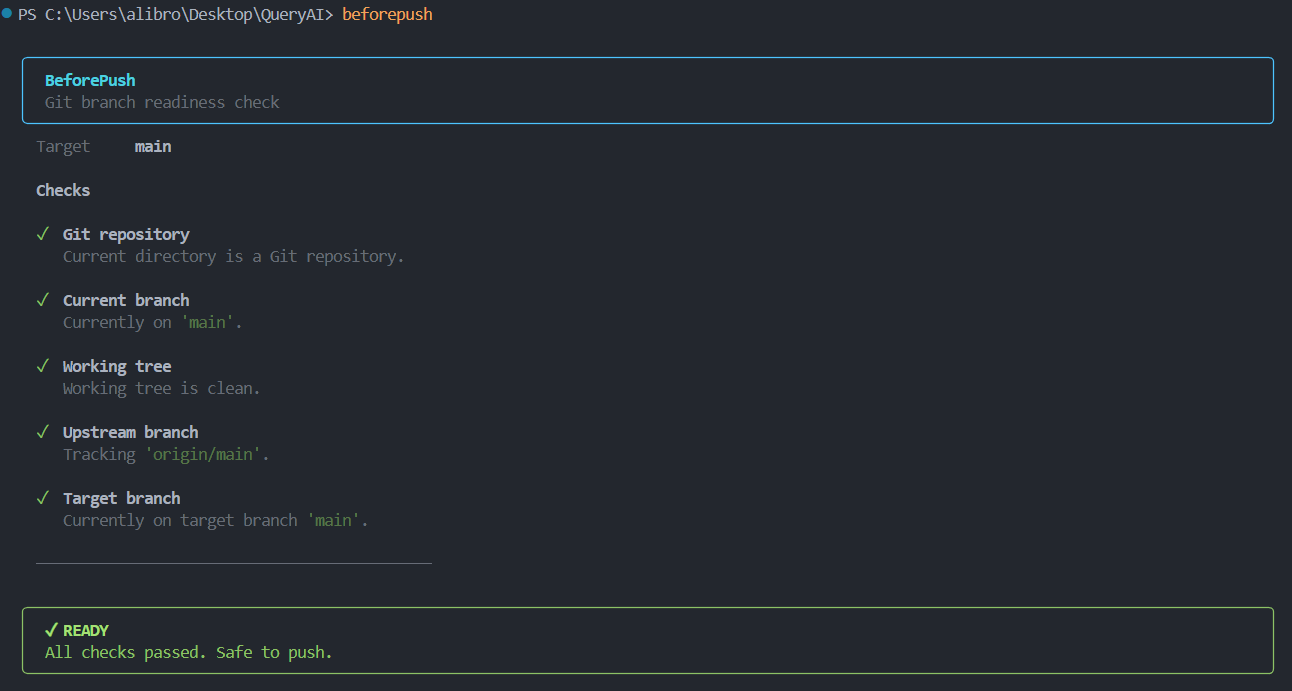
Understanding the Output
BeforePush reports the result of each check using three statuses:
- PASS: The check passed successfully.
- WARNING: The check found something you may want to review, but it does not block the command.
- FAIL: The check failed and requires attention.
For example:
Exit Codes
BeforePush uses exit codes so it can be used in scripts and Git hooks.
0— All checks passed or only warnings were reported.- Non-zero — At least one check failed.
PowerShell
beforepush

if ($LASTEXITCODE -ne 0) {
    Write-Host "BeforePush checks failed."
}
Bash
beforepush

if [ $? -ne 0 ]; then
    echo "BeforePush checks failed."
fi
beforepush

if ($LASTEXITCODE -ne 0) {
    Write-Host "BeforePush checks failed."
}
These exit codes allow scripts and Git hooks to detect when BeforePush finds a problem.